inventory management
5 Must-Have Tools for Craft Sellers in 2026
From design to inventory tracking, these are the five tools that give craft sellers the biggest return on their time — updated for 2026.

Last updated: April 2026
Running a craft business means wearing a lot of hats. You’re the designer, the maker, the shipping department, and the accountant, often all in the same afternoon. And while the making part is the reason you started, the business side doesn’t run itself.
The good news: there are tools that make the non-making parts genuinely manageable. Not a hundred tools. Not a pricey software stack. Just a handful of the right ones that cover the categories that matter most: staying organised, looking professional, keeping track of what you have, reaching your customers, and growing your list.
Here are the five that will have the biggest impact on how you run your craft business.
Need to get your raw material and product inventory under control?
Try Craftybase - the inventory and manufacturing solution for DTC sellers. Track raw materials and product stock levels (in real time!), COGS, shop floor assignment and much more.
It's your new production central.
1. A project management tool
Even a one-person operation has a lot of moving parts, custom orders, supplier deliveries, market prep, product photography. A project management tool is the simplest way to keep all of that from living in your head (or on sticky notes that go missing).
Most of them let you build checklists, sort by urgency, assign due dates, and view everything in a calendar. The more advanced ones let you link tasks together, so if your fabric order is delayed, everything downstream shifts automatically. Useful if you’re juggling multiple product lines or restocking cycles at once.
What to use:Asana and Trello both have solid free plans for solo operators. If you want something that doubles as a business wiki (somewhere to keep your supplier contacts, production notes, and SOPs) Notion is worth a look. The free plan is genuinely useful for individuals, and the Plus plan is $10/month if you eventually need more.
For makers who like to keep everything in one place, Notion’s combination of task lists and databases means you can track your to-dos alongside your material specs, supplier notes, and business processes. It’s flexible enough to grow with you.
2. A design tool
Most handmade sellers don’t have a graphic designer on call, and with Canva, you don’t need one.
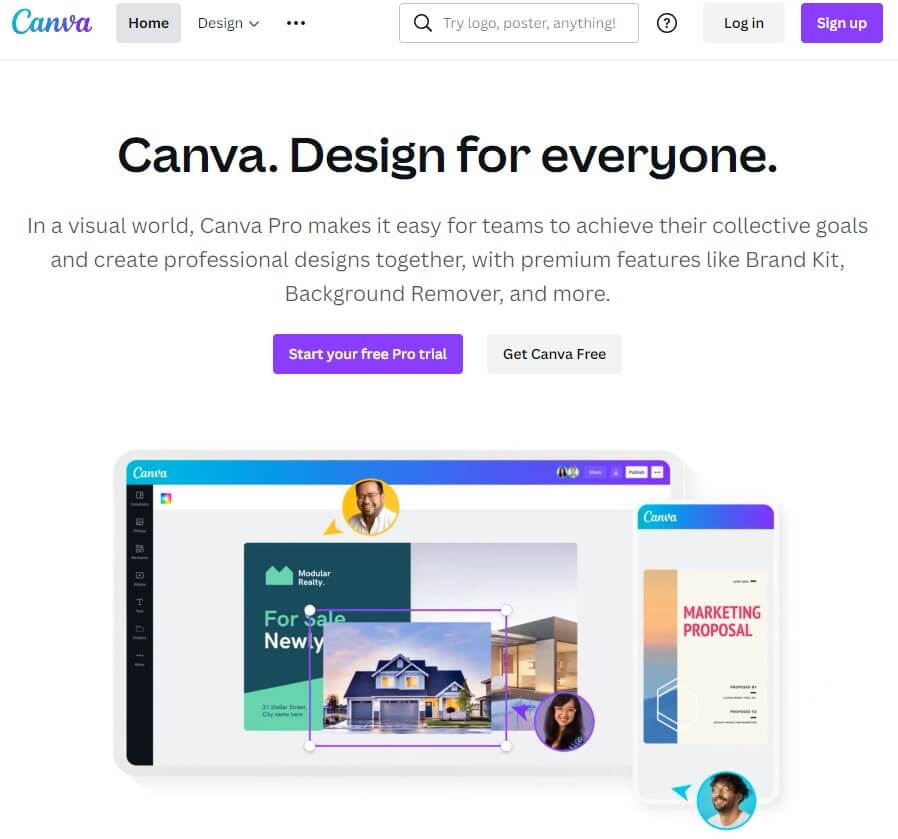
Canva is a cloud-based design platform that handles just about everything your business needs visually: product packaging, Etsy shop banners, Instagram graphics, email headers, market signage, and more. It ships with thousands of templates and a large library of stock photos, which means you can start from something that already looks good rather than a blank canvas.
Current pricing: Canva Free gives you access to a solid range of templates and 5GB of storage, plenty to get started. Canva Pro is $15/month (or $120/year) and unlocks the premium template library (100M+ assets), the background remover, brand kits, and 1TB of storage. For most craft sellers, the free plan will carry you a long way.
One thing worth knowing: Canva has leaned heavily into AI features in recent years. The Magic Studio tools (auto-resize, AI image generation, background removal) are mostly Pro-only, but they’re genuinely useful if you’re producing a lot of product imagery.
There are plenty of unofficial tutorials on YouTube if you want to get up to speed quickly.
3. Inventory management software
This is the one most craft sellers put off, and then wish they’d started sooner.
When you’re small, a spreadsheet works. But once you’re tracking raw materials across multiple suppliers, making products from recipes or formulas, and selling across Etsy and Shopify at the same time, a spreadsheet starts lying to you. Stock counts drift. You run out of something mid-order. You realise at tax time that you have no idea what your actual cost of goods was.
An inventory management platform solves all of this by keeping your materials, products, and orders in sync automatically.
Craftybase is built specifically for makers. It lets you track raw materials and finished goods in real time, calculate the true cost of every product you make (materials, labour, overhead), and import orders automatically from Etsy, Shopify, Amazon, and other channels. See every sales channel and accounting tool Craftybase connects with for the full list. When you manufacture a batch, it deducts the materials automatically. When you sell, the finished goods inventory updates.
For makers who also use QuickBooks, Craftybase can sync COGS and inventory valuations directly to QuickBooks, so your accounting stays current without manual data entry at month-end. And at tax time, your Schedule C numbers are already calculated.
If you’re still on a spreadsheet, here’s a practical test: do you know, right now, how many units you could make with the materials you have on hand? If the answer requires opening a file and cross-referencing three tabs, it’s probably time. Our guide to inventory management for makers covers how to think about this transition.
4. An email marketing platform
You’ve made something great. How do you tell your best customers?
Social media is easy, but the reach is unreliable. You post to Instagram, and maybe 5% of your followers see it. Email is direct, it lands in someone’s inbox, where they actually read things. And unlike a marketplace platform, you own the list.
Email works well for announcing new products, running seasonal sales, or re-engaging customers who bought from you six months ago. You can segment your list and only send to people who’d actually care about a specific item.
What to know in 2026:Mailchimp is the most well-known option, but its free plan has shrunk significantly. As of January 2026, it covers only 250 contacts and 500 sends per month, down from the 2,000-contact limit it had a few years ago. Automation is paywalled behind paid plans starting at $13/month.
For most craft sellers starting out, Kit (formerly ConvertKit) is worth considering. It’s built for creators and small businesses, has a free plan up to 10,000 subscribers, and the automation tools are included from day one. Brevo (formerly SendInBlue) is another solid free option with more generous send limits.
Whatever you use, read up on anti-spam laws for your region before you send anything. CAN-SPAM (US), GDPR (EU/UK), and CASL (Canada) all govern how you collect and use email addresses. Understanding the basics will keep you out of trouble.
5. A lead capture tool
An email list is only as valuable as the people on it, and building that list requires giving people a reason to hand over their address.
The simplest approach is a subscribe form on your website. Most site builders (Shopify, Wix, Squarespace) have these built in. Pair it with an incentive (a discount on a first order, a free care guide for your products, or a PDF pattern) and your conversion rate will be higher than a bare “sign up for updates” field.
Beyond your website, a few other approaches work well for craft sellers:
- Pop-up forms at markets and craft fairs. Square has a simple customer directory, or you can use a tablet with a form builder like Typeform or Tally (free, unlimited forms).
- Landing pages for specific offers or events. If you’re doing a limited run or a seasonal sale, a standalone landing page can capture interest before the product launches.
- TikTok Shop and social discovery. Worth mentioning separately: TikTok Shop has become a genuine discovery channel for handmade sellers. It won’t replace your email list, but if you’re already making short-form video content, it’s a low-friction way to reach buyers who wouldn’t otherwise find you on Etsy. Think of it as top-of-funnel, then capture their email once they land on your site.
The goal is to own the relationship with your customers, not just rent access to them through a marketplace. Building even a modest email list of a few hundred engaged buyers is worth more long-term than a large social following you don’t control.
How these tools fit together
These five categories cover the full operational picture of a craft business: getting organised, looking professional, knowing your numbers, talking to customers, and growing your audience.
You don’t need all of them on day one. Most makers start with one or two and layer in the others as the business grows. But if you’re feeling the strain of doing everything manually (tracking stock in spreadsheets, designing on the fly, losing track of who bought from you last season) these are the tools that will give you time back.
For more on the business side of running a craft business, take a look at our guides on Etsy bookkeeping, premium pricing for handmade products, and the best Etsy SEO tools to help your listings get found.
Frequently Asked Questions
What tools do Etsy sellers need to run their business?
Etsy sellers typically need five categories of tools: a project management app (Asana, Trello, or Notion) to stay organised, a design tool (Canva) for shop graphics and marketing, inventory software (like Craftybase) to track materials and costs, an email marketing platform to reach customers directly, and a lead capture tool to build their list. You don't need all of them on day one, start with the one that solves your biggest current headache.
What are the best apps for handmade sellers in 2026?
The best apps for handmade sellers in 2026 depend on your stage, but the most impactful ones are: Craftybase for inventory and COGS tracking, Canva for design (free plan covers most sellers), Kit for email marketing (generous free tier up to 10,000 subscribers), and Asana or Notion for staying organised. Most have free plans, so the barrier to starting is low.
Is Mailchimp still good for craft sellers in 2026?
Mailchimp has become harder to recommend on a budget. As of January 2026, the free plan only allows 250 contacts and 500 sends per month, a significant cut from the 2,000-contact limit it offered a few years ago. Automation is now paywalled behind paid plans starting at $13/month. For craft sellers starting out, Kit (free up to 10,000 subscribers with automation included) or Brevo offer more value without the hidden limits.
Do craft sellers really need inventory software, or will a spreadsheet do?
A spreadsheet works fine when you're starting out with a handful of products. But once you're tracking raw materials across multiple suppliers, making products from recipes, and selling on more than one platform, spreadsheets start to drift, counts go stale, formulas break, and you can't see what you can actually make right now. Dedicated inventory software like Craftybase automates the deductions when you manufacture and gives you real-time cost data, which is what you need to price profitably and report accurately at tax time.
What's the best free design tool for Etsy shop graphics?
Canva is the clear choice for most Etsy sellers. The free plan includes hundreds of templates specifically sized for Etsy shop banners, product mockups, and social media graphics. It's browser-based, so there's nothing to install, and the learning curve is gentle. Canva Pro ($15/month or $120/year) adds the background remover, brand kit, and 100M+ premium assets, useful once your shop is generating revenue and you want a more polished look.
